MySQL ER Diagram – Reverse Engineer and Design Schemas Visually | DbSchema
Table of Contents
- Quick answer
- What a MySQL ER diagram shows
- MySQL version-specific modeling syntax
- Sample MySQL schema to diagram
- Reverse engineer an existing MySQL database
- Design a new MySQL schema visually
- Keep the model synced and documented
- FAQ
- Conclusion
A MySQL ER diagram turns tables, keys, and relationships into something you can understand in seconds. Instead of scanning long CREATE TABLE scripts, you can see how customers, orders, products, and bridge tables connect on one screen.
For most teams, the fastest workflow is to use DbSchema: reverse-engineer the live schema when the database already exists, or model the schema visually first and generate SQL later.
Quick answer
If you need a MySQL ER diagram today:
- connect to the database with the MySQL JDBC driver
- reverse-engineer the schema with Connect to Database
- reorganize tables in the diagram view
- keep the diagram updated with schema synchronization
- share it through interactive HTML5 documentation
If you are still comparing tools, see Best MySQL Database Design Tools.
What a MySQL ER diagram shows
An ER diagram maps the database structure visually:
- tables and columns
- primary keys and foreign keys
- one-to-many or many-to-many relationships
- indexes, data types, and comments
- optional notes explaining why a table exists
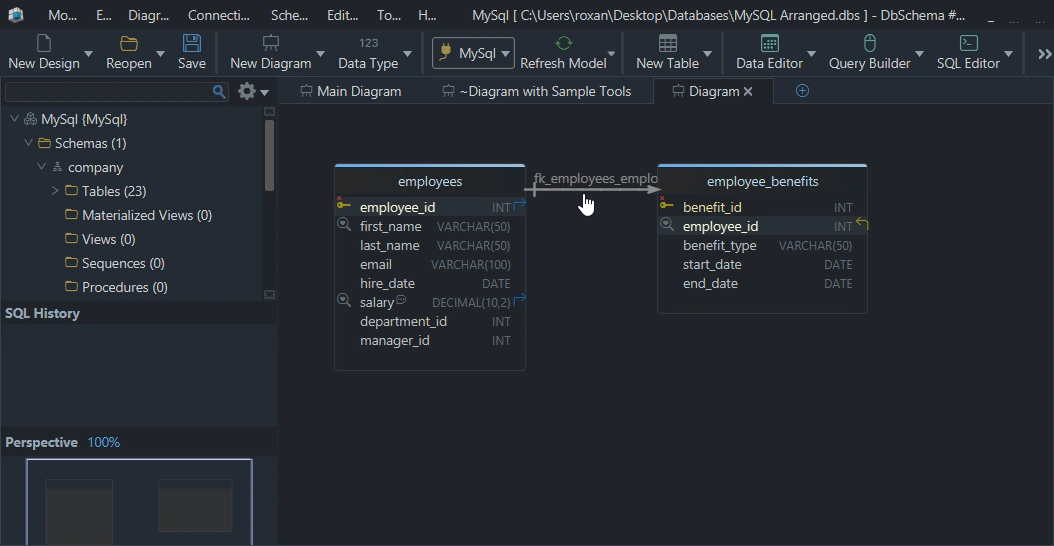
This is why ER diagrams rank so highly in real workflows:
- they reveal missing or incorrect relationships quickly
- they help new developers understand a schema faster
- they are easier to review in meetings than raw DDL
- they make documentation much easier to publish and maintain
If you want a broader conceptual explanation, also read What Is an Entity Relationship Diagram?.
MySQL version-specific modeling syntax
The visual workflow is similar across MySQL versions, but the DDL you reverse-engineer is not identical.
| MySQL version | Common syntax you will see in the schema | What it means for the ER diagram |
|---|---|---|
| 5.7 | AUTO_INCREMENT, foreign keys, generated columns, JSON; CHECK may appear but is not enforced | diagrams still show structure well, but do not assume every CHECK clause is active |
| 8.0 | AUTO_INCREMENT, foreign keys, generated columns, and enforced CHECK constraints from 8.0.16+ | more business rules can be documented directly in the model |
| 8.4 | same core syntax as modern 8.0 plus the current LTS baseline | best target if you want long-lived, documented MySQL models |
Typical snippets you may reverse-engineer:
| Version | Example syntax snippet |
|---|---|
| 5.7 | customer_id INT AUTO_INCREMENT PRIMARY KEY |
| 8.0 | status VARCHAR(20), CHECK (status IN ('new', 'paid', 'shipped')) |
| 8.4 | created_at TIMESTAMP DEFAULT CURRENT_TIMESTAMP |
That is one reason DbSchema is helpful: it lets you keep version-aware design notes, constraints, and comments in the same model rather than relying on screenshots alone.
Sample MySQL schema to diagram
Here is a compact schema that produces a useful ER diagram:
CREATE TABLE customers (
    customer_id INT AUTO_INCREMENT PRIMARY KEY,
    email       VARCHAR(255) NOT NULL UNIQUE,
    full_name   VARCHAR(200) NOT NULL
);

CREATE TABLE orders (
    order_id      INT AUTO_INCREMENT PRIMARY KEY,
    customer_id   INT NOT NULL,
    order_status  VARCHAR(20) NOT NULL,
    created_at    TIMESTAMP DEFAULT CURRENT_TIMESTAMP,
    CONSTRAINT fk_orders_customer
        FOREIGN KEY (customer_id) REFERENCES customers(customer_id)
);

CREATE TABLE order_items (
    order_item_id INT AUTO_INCREMENT PRIMARY KEY,
    order_id      INT NOT NULL,
    product_name  VARCHAR(200) NOT NULL,
    quantity      INT NOT NULL,
    unit_price    DECIMAL(10,2) NOT NULL,
    CONSTRAINT fk_order_items_order
        FOREIGN KEY (order_id) REFERENCES orders(order_id)
);
An ER diagram of that schema makes three things obvious immediately:
- one customer can have many orders
- one order can have many order items
customer_idandorder_idare the relationship anchors you will join on constantly
If you are still designing the tables themselves, the related guide How to Design a Relational Database Schema is a good next read.
Reverse engineer an existing MySQL database
If the database already exists, do not redraw it manually. Reverse-engineer it.
With DbSchema, the workflow is:
- connect to MySQL 5.7, 8.0, or 8.4 with the MySQL JDBC driver
- import tables, foreign keys, and indexes through Connect to Database
- let DbSchema generate the initial layout automatically
- regroup tables into focused diagrams such as billing, auth, or reporting
- save the model so it can be versioned and reviewed later
Here is a reverse-engineered MySQL schema:
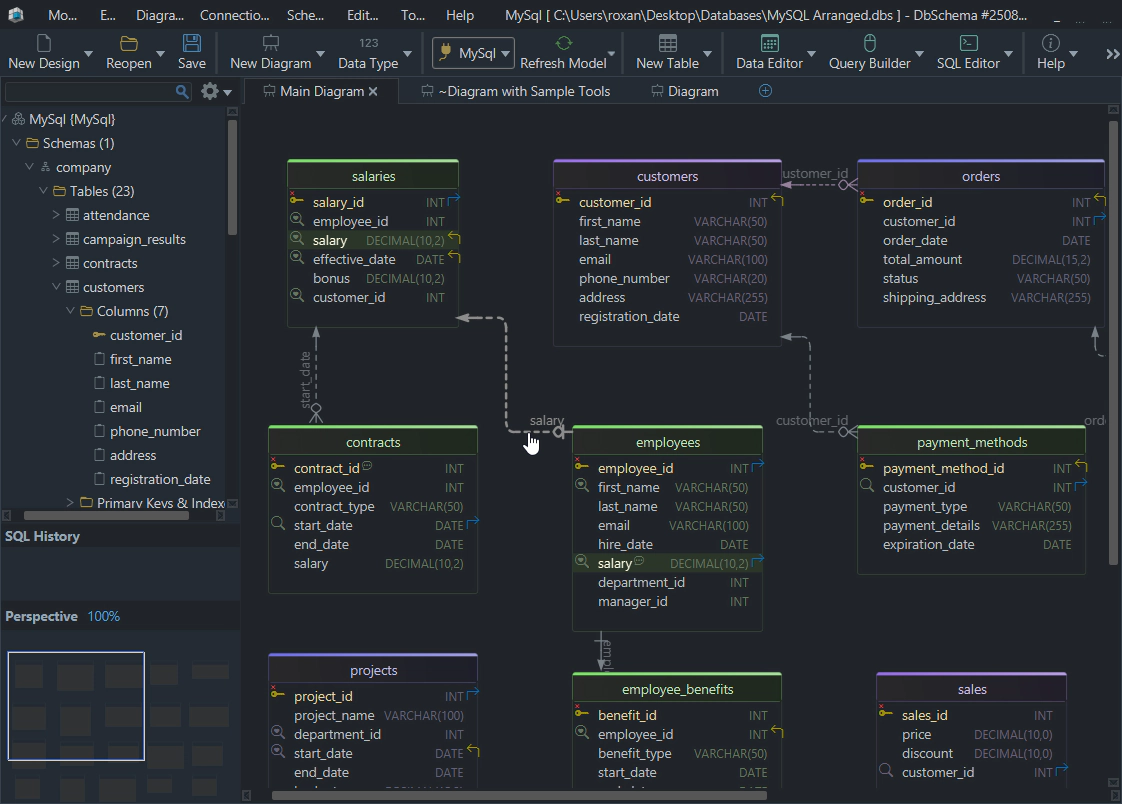
That approach is especially useful for legacy databases where the schema is large, naming is inconsistent, or the original author is no longer around.
Design a new MySQL schema visually
Sometimes you have the opposite problem: there is no database yet, only a requirements list.
That is where DbSchema becomes more than a viewer:
- add new tables and columns visually
- assign primary keys, unique keys, and foreign keys
- split large domains into multiple layouts
- generate the MySQL DDL after the model is clear
When you work this way, the ER diagram becomes the design source rather than an afterthought. That is safer for teams because review happens before migration scripts hit production.
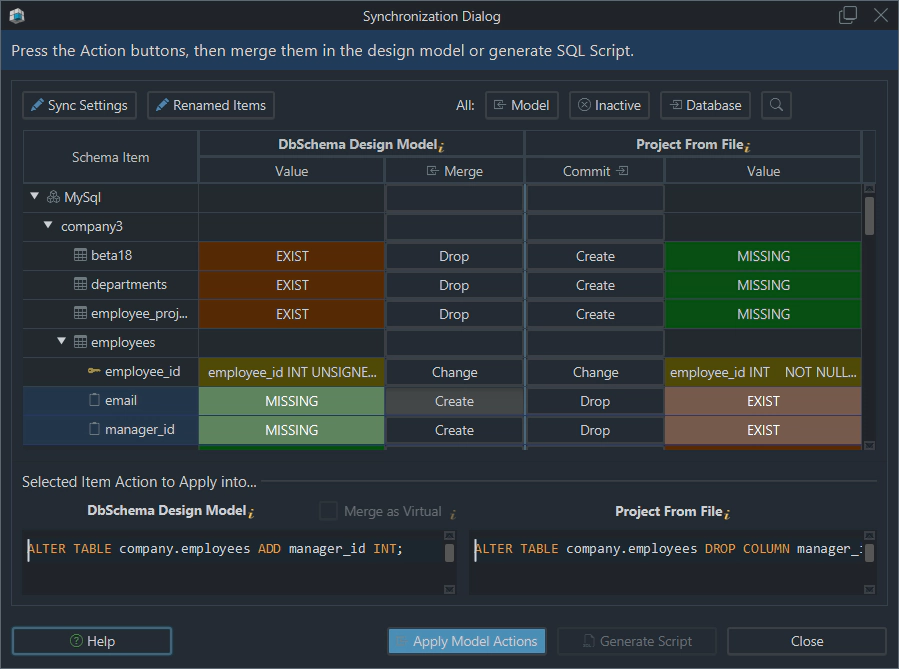
in the Model
in the Database
Keep the model synced and documented
The biggest ranking gap in thin ERD articles is that they stop at "draw a diagram." Real teams need more than that.
Organize large schemas
DbSchema lets you keep multiple layouts for the same MySQL project, so one diagram can focus on authentication while another focuses on fulfillment or analytics.
Sync the model with the live database
Use schema synchronization to compare the model with the live MySQL schema before deploying or after reverse engineering changes.
Publish interactive documentation
You can export the diagram as interactive schema documentation, which is much easier to share than screenshots or pasted DDL.
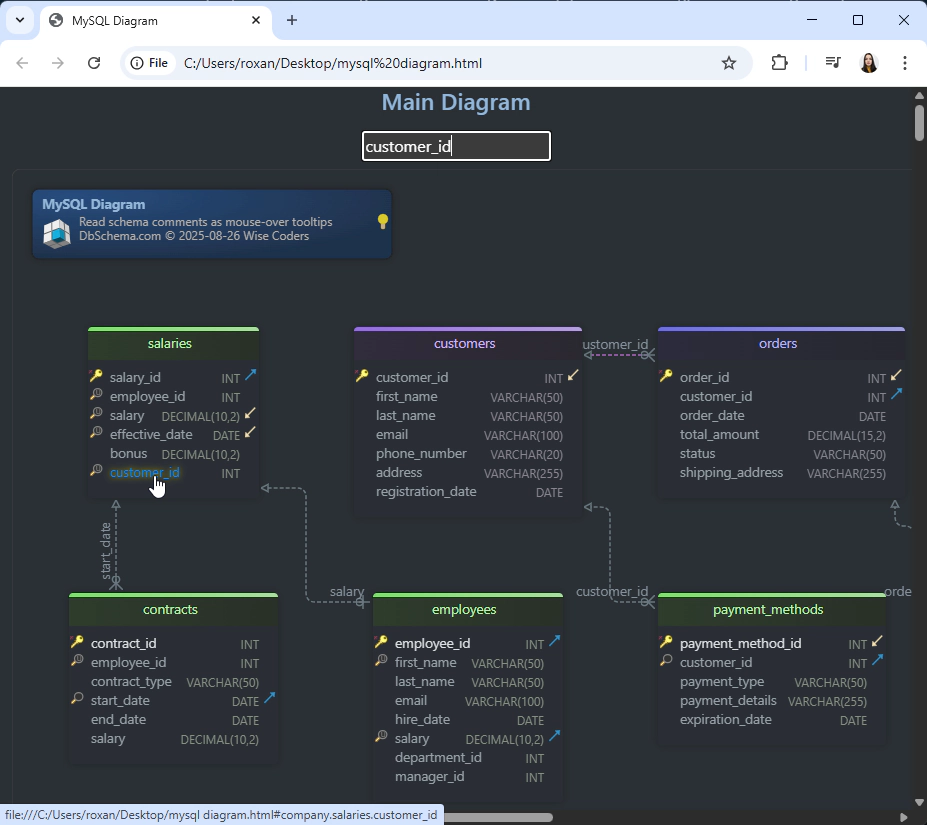
Works with any browser
in the diagram
complete details
relationships, metadata
Keep change history in Git
Because the model is saved as a project file, teams can review schema changes alongside code changes instead of losing design history in ad-hoc image files.
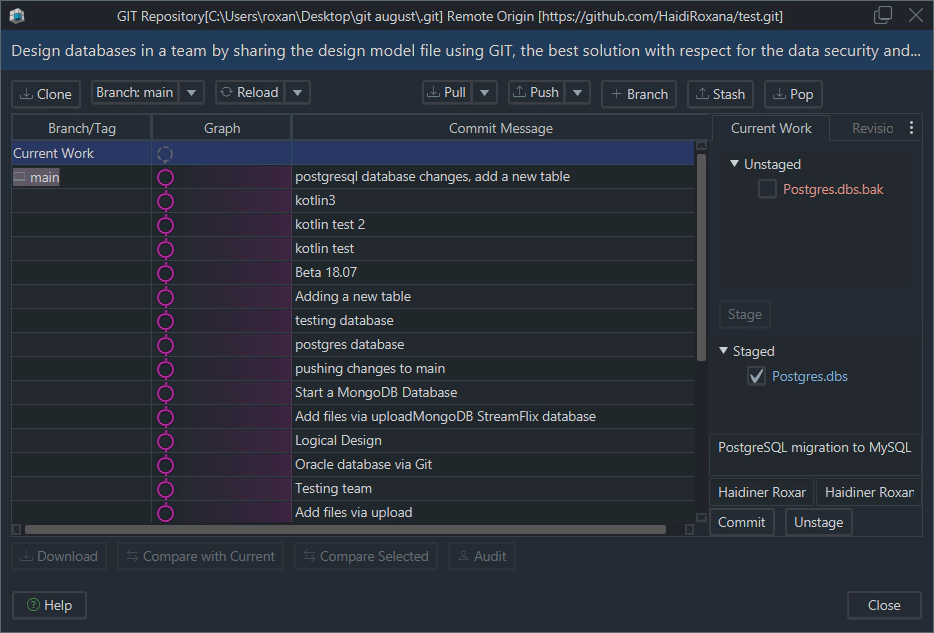
using Git integration
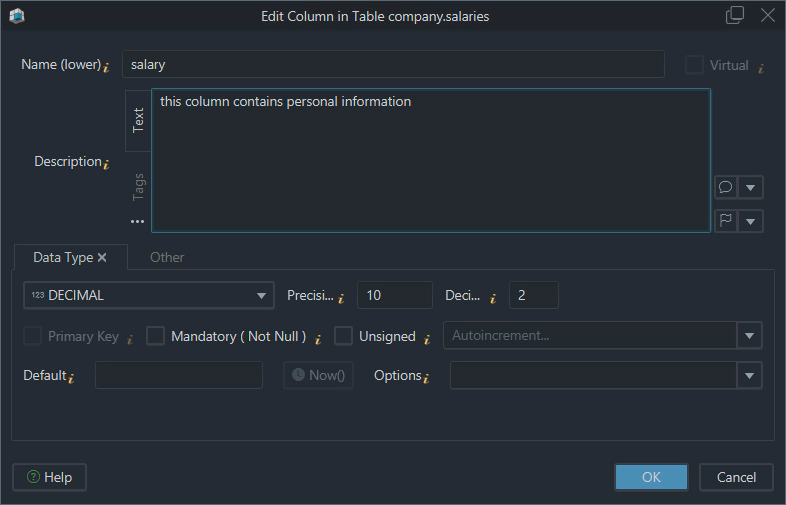
Add notes that explain the model
You can annotate tables, columns, and relationships so the ER diagram explains not just what exists, but why it was designed that way.
FAQ
What is the easiest way to create a MySQL ER diagram?
The easiest approach is to connect the database to DbSchema and reverse-engineer it. If the database does not exist yet, you can design the schema visually first and generate MySQL SQL afterward.
Can I create an ER diagram from an existing MySQL database?
Yes. Import the schema through the MySQL JDBC driver, then let DbSchema build the initial diagram automatically.
Do MySQL 5.7 and MySQL 8.x diagrams look different?
The core relationships look the same, but MySQL 8.x can expose more enforced constraints, especially CHECK constraints in 8.0.16+ and 8.4.
Is MySQL Workbench the only option for ER diagrams?
No. MySQL Workbench can create diagrams, but DbSchema is often a better fit when you also want documentation, schema sync, multiple layouts, and a broader multi-database workflow.
Can I share a MySQL ER diagram with non-developers?
Yes. Export the diagram as interactive HTML documentation so teammates can browse tables and relationships in the browser.
Conclusion
A strong MySQL ER diagram helps you understand the schema faster, review relationships more safely, and document the database for the whole team. Whether you are reverse-engineering a live MySQL instance or designing a new schema from scratch, DbSchema gives you a practical workflow for modeling, syncing, and sharing the result.






