Best Tools for Database Documentation in 2025/2026 – Compared | DbSchema

Good database documentation is no longer just a static PDF. In 2025 and 2026, teams expect diagrams, searchable table details, schema comments, change history, and a workflow that stays current as the database evolves.
If you want the short answer, DbSchema is the strongest all-around recommendation because it combines visual diagrams, interactive HTML documentation, schema comments, validation, and team-friendly model files in one workflow. DBeaver and DataGrip are useful when documentation is only one part of a broader database IDE, while dbForge Documenter is still relevant for teams that want a dedicated reporting-style output.
Table of Contents
- Quick answer
- What makes a documentation tool useful
- Comparison table
- Tool reviews
- Best tool by documentation use case
- How to publish living database docs with DbSchema
- FAQ
- Conclusion
Quick answer
- Best overall database documentation tool: DbSchema
- Best for IDE-first SQL teams: DataGrip
- Best dedicated documenter for supported engines: dbForge Documenter
- Best for MySQL-native workflows: MySQL Workbench
- Best free multi-database desktop option: DBeaver
If you are also comparing broader modeling tools, read Best Database Schema Design Tools and Top Free Tools for Database Design.
What makes a documentation tool useful
The best documentation tools do more than list tables. They should help your team:
- understand the schema visually through ER diagrams
- browse tables, columns, keys, indexes, and relationships
- keep comments and descriptions close to the model
- generate outputs the team can actually share, such as HTML or PDF
- support change tracking, versioning, or model comparison
- stay useful after the first export, not only during setup week
For real teams, the best documentation workflow usually connects four activities:
- reverse-engineer or design the schema
- annotate important tables and columns
- validate relationships and naming
- publish the result as browsable documentation
That is why DbSchema stands out: the same project can move from diagram design to model validation, Git workflow, and HTML documentation export.
Comparison table
| Tool | Diagram support | Documentation output | Comments / annotations | Change tracking | Best for |
|---|---|---|---|---|---|
| DbSchema | strong visual ERD workflow | interactive HTML, PDF, images | yes | model files + Git workflow | living documentation across design and delivery |
| DataGrip | useful ERD view | export-oriented, IDE workflow | yes | external VCS workflow | developers living inside a JetBrains IDE |
| dbForge Documenter | documentation-focused | polished generated reports | yes | external versioning | teams that want formal generated docs |
| MySQL Workbench | EER diagrams | basic export | yes | manual / external | MySQL-only environments |
| HeidiSQL | minimal | lightweight export | basic | external | fast lightweight administration |
| Navicat | polished visual workflow | shareable exports | yes | manual / external | commercial cross-platform teams |
| DBeaver | ERD from live schema | documentation is not the main focus | yes | project-based workflow | multi-database live exploration |
Tool reviews
 1. DbSchema
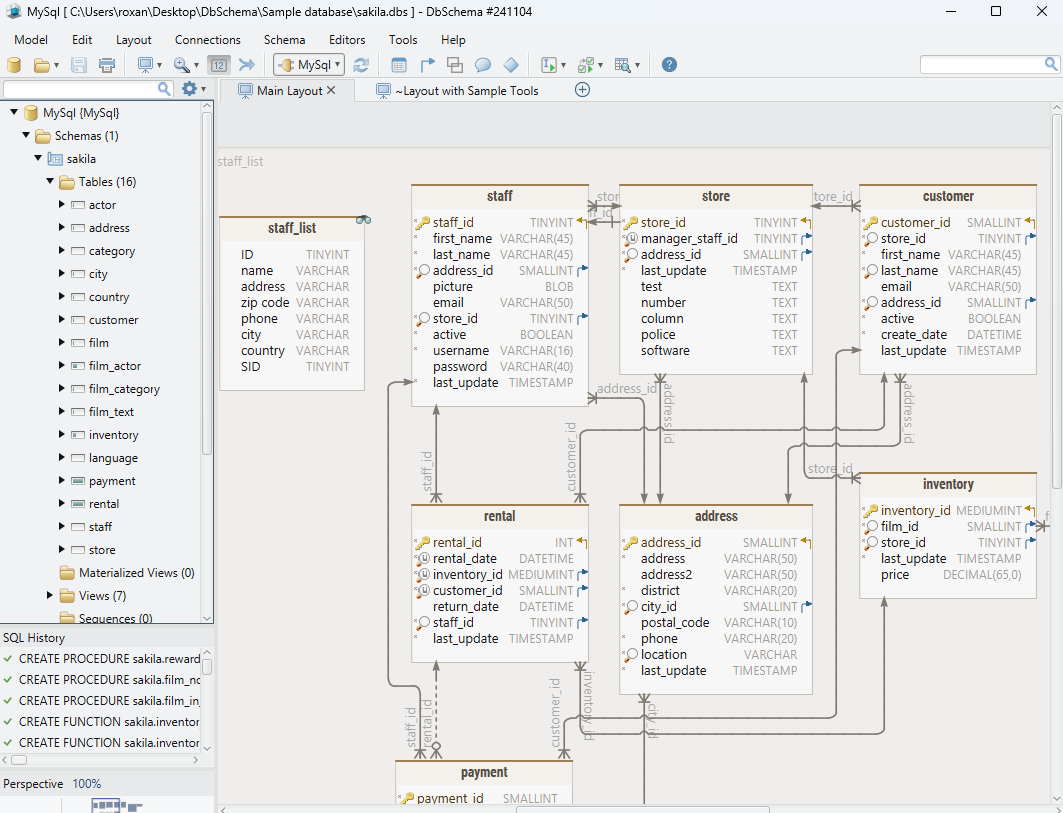
DbSchema is the best fit when you want documentation to stay connected to the actual schema instead of becoming a stale file. It supports SQL and NoSQL databases, visual diagrams, comments, validation, and interactive documentation from the same model.
Why it stands out:
- build or reverse-engineer diagrams, then keep them organized in multiple layouts
- publish interactive schema documentation
- add comments and tags that stay with the model
- review relationships and constraints visually through diagram tools
- validate naming and structure through model validation
- version the model with Git integration
 2. DataGrip
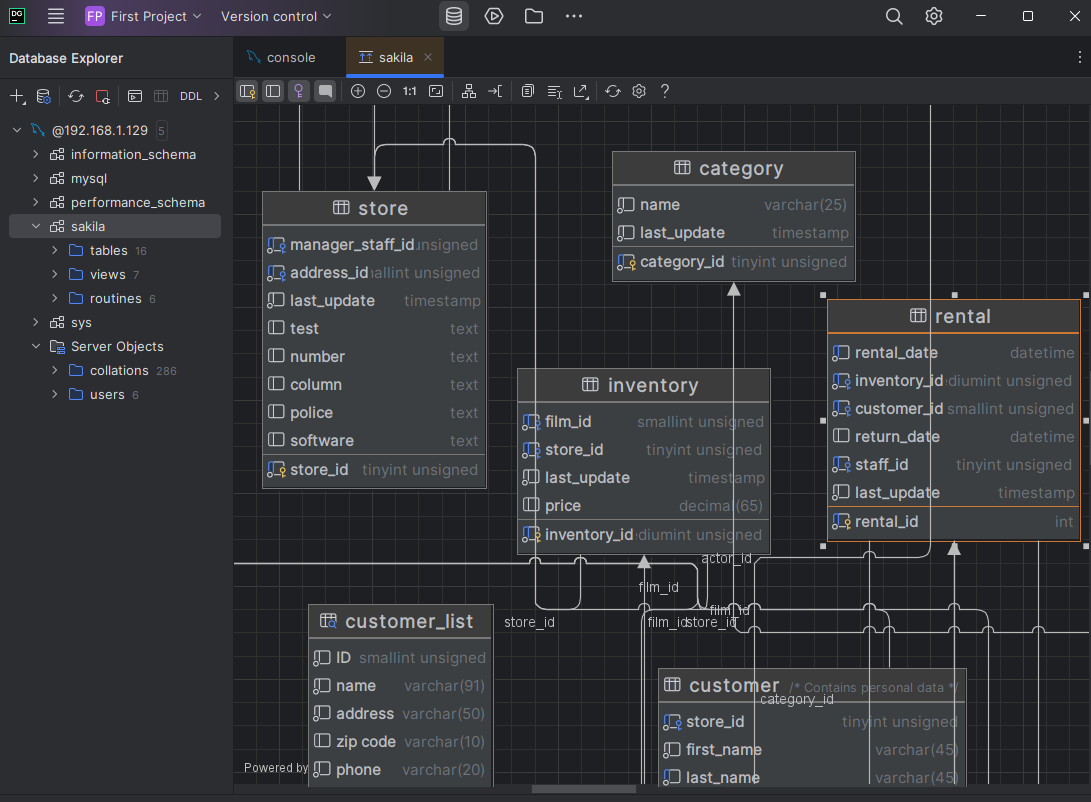
DataGrip is a strong choice for developers who already spend most of their time in JetBrains tooling and want documentation support inside a database IDE.
- practical ERD view for connected databases
- annotations and object browsing inside the IDE
- useful when documentation is part of a SQL-heavy workflow
Main limitation: it is better at daily IDE work than at design-first, documentation-first schema publishing.
 3. dbForge Documenter
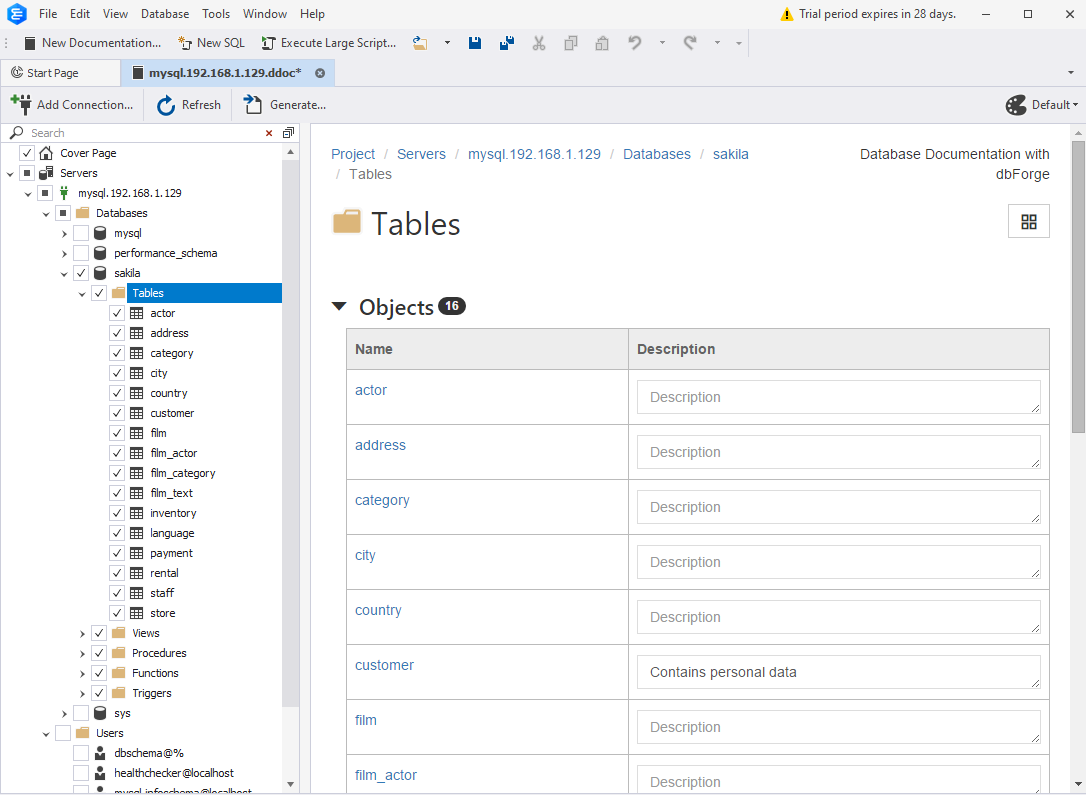
dbForge Documenter is more focused than the others here: it is built specifically to generate formal database documentation for supported engines.
- report-style schema documentation
- good coverage of objects such as tables, procedures, and views
- useful for teams that need shareable formal output quickly
Main limitation: it is narrower than an all-in-one design and documentation platform.
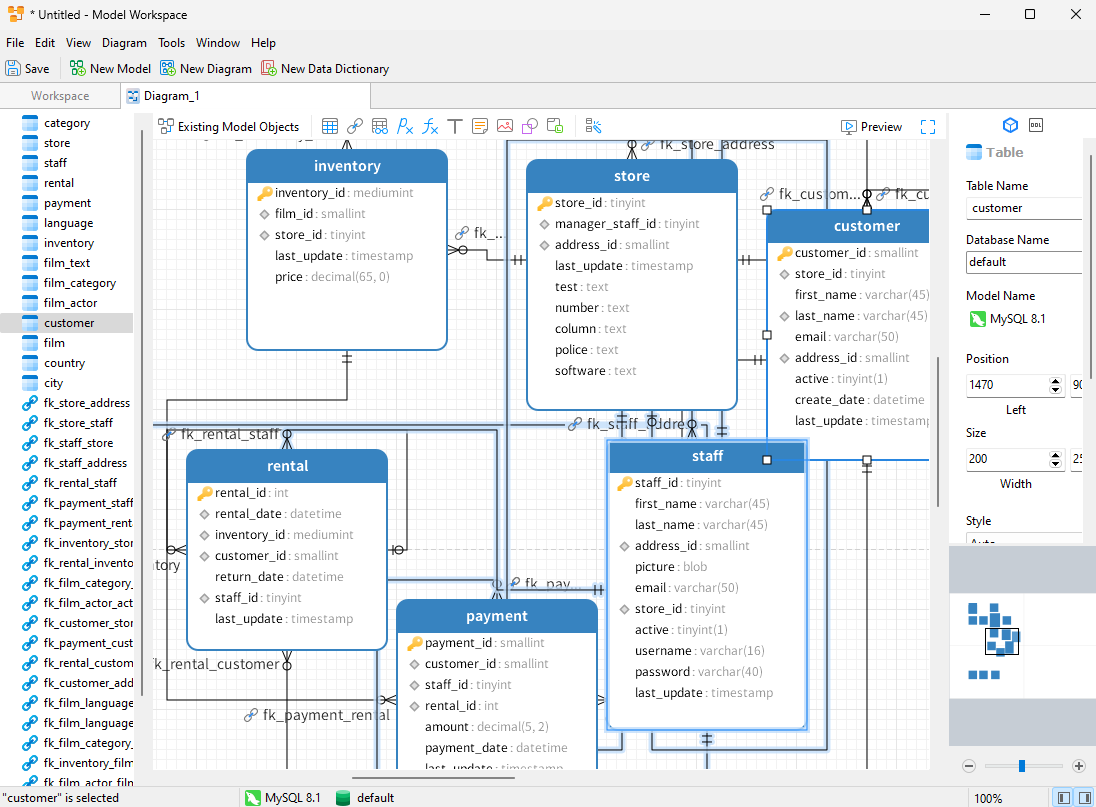
 4. MySQL Workbench
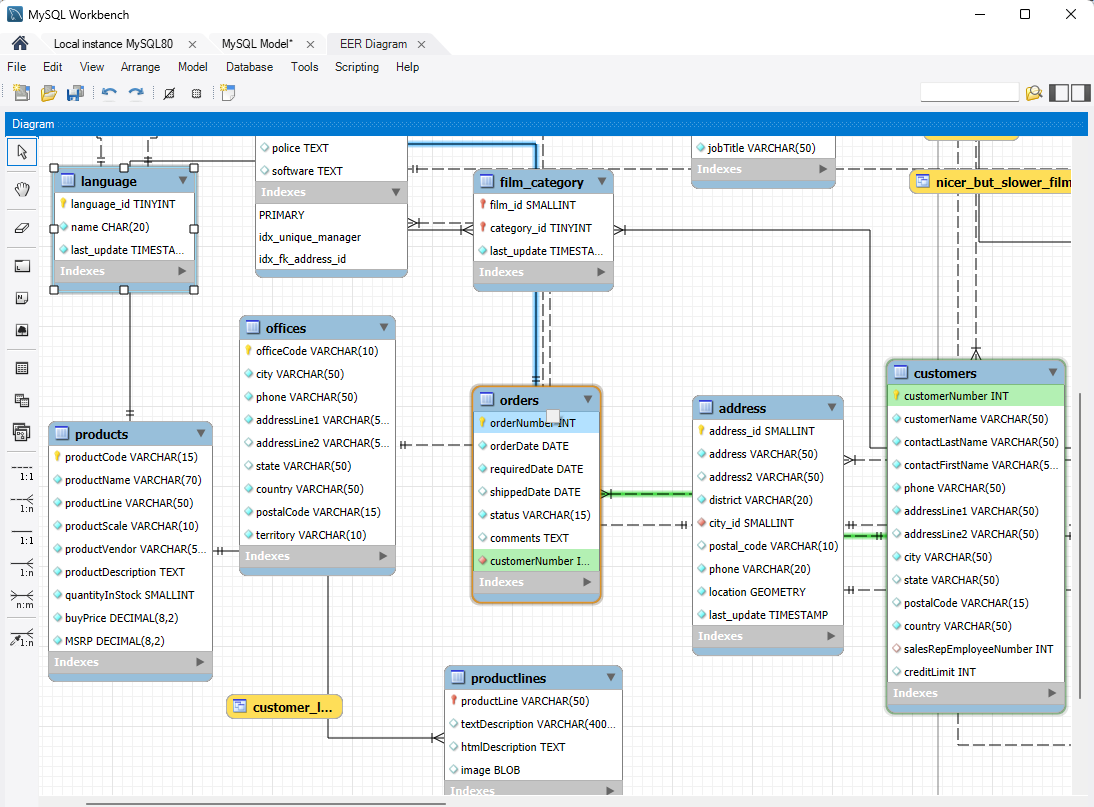
MySQL Workbench remains important because many teams still want one official MySQL desktop tool for design, SQL work, and basic documentation.
- EER diagrams for MySQL
- forward and reverse engineering
- useful when the documentation audience is mostly internal MySQL users
Main limitation: it is much less compelling if your team works across several database engines.
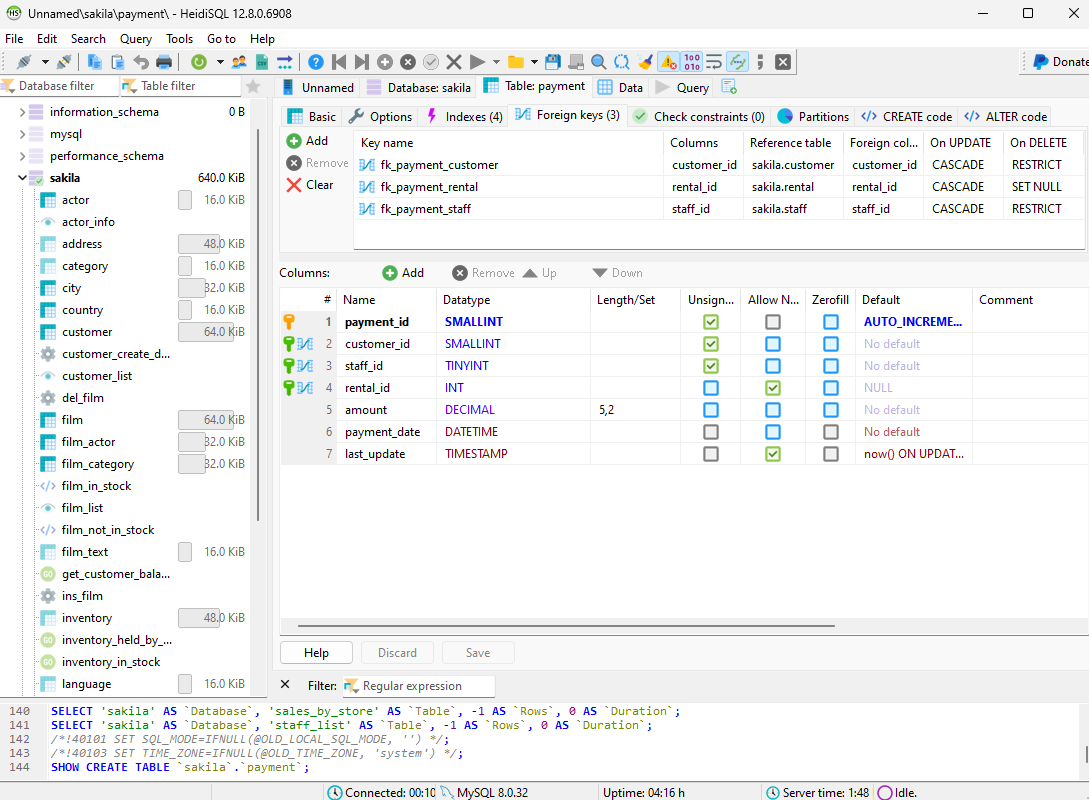
 5. HeidiSQL
HeidiSQL is lightweight and fast. It is valuable when you need simple inspection and quick export rather than a full documentation lifecycle.
- small footprint and fast startup
- practical table browsing
- helpful for lightweight admin tasks
Main limitation: documentation is basic and not a core strength.
 6. Navicat
Navicat is a polished commercial option that blends modeling, administration, and documentation-style export in one UI.
- polished cross-platform experience
- good ERD and object browsing workflow
- useful when the team wants one premium database workbench
Main limitation: it is not as documentation-centric or design-first as DbSchema.
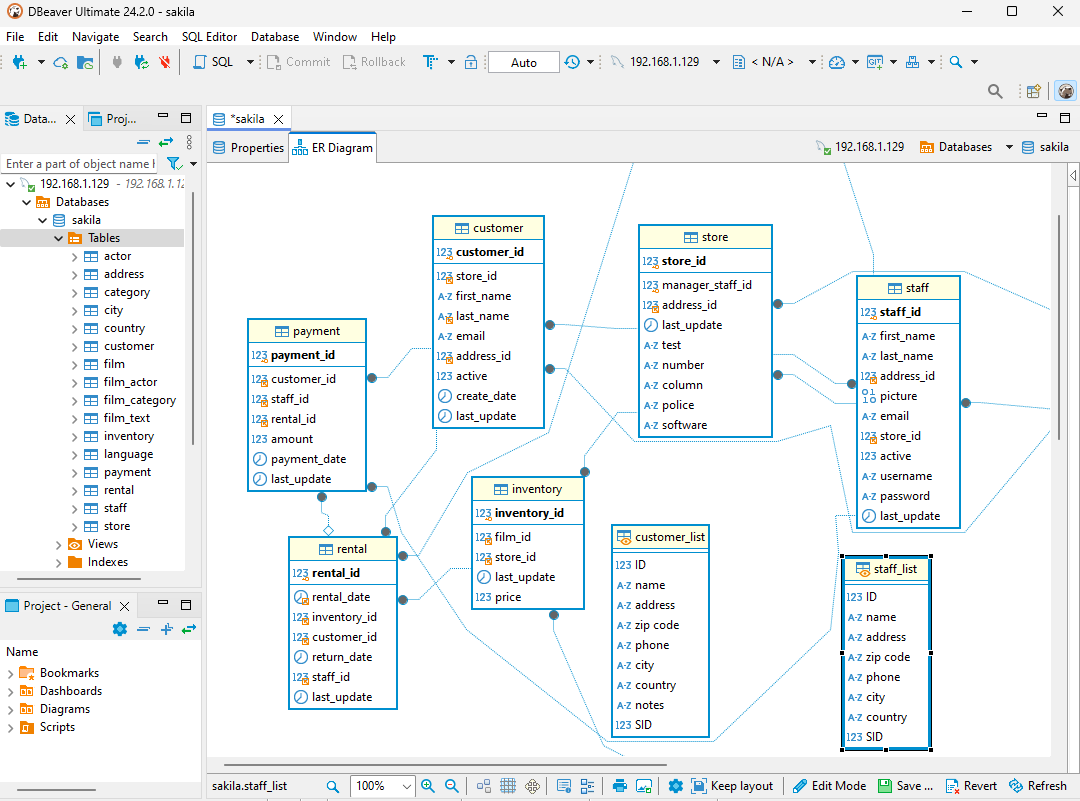
 7. DBeaver
DBeaver is a popular choice because it supports many databases and is great for live schema exploration. Its ERD view can help with documentation, especially when the main task is understanding an existing database.
- broad connectivity across many engines
- useful ERD views from live schemas
- strong fit when documentation is secondary to exploration and SQL work
Main limitation: documentation is not the central workflow in the product. If that is your main goal, DbSchema is usually the better fit. For a direct comparison angle, see DBeaver Alternative – DbSchema.
Best tool by documentation use case
| If you need to... | Best fit |
|---|---|
| publish living HTML documentation from a maintained schema model | DbSchema |
| document a live schema while staying in a SQL IDE | DataGrip or DBeaver |
| generate formal report-style docs for supported engines | dbForge Documenter |
| stay inside a MySQL-native workflow | MySQL Workbench |
| use a polished commercial all-rounder | Navicat |
How to publish living database docs with DbSchema
This is the workflow that makes DbSchema the easiest recommendation:
- connect to the database or start from a design-first model
- organize the schema in the diagram view
- annotate important tables and columns
- run model validation
- publish interactive schema documentation
That matters because your diagrams, comments, and documentation come from the same source instead of being recreated in separate tools. If you are also choosing a design platform, read Best Database Schema Design Tools next.
FAQ
What is the best tool for database documentation overall?
For most teams, DbSchema is the strongest all-around choice because it combines diagrams, comments, validation, and interactive documentation export in one workflow.
What should database documentation include?
At minimum, document tables, columns, keys, relationships, indexes, and important business comments. The best documentation also includes diagrams and change context.
Which tool is best for interactive HTML database documentation?
DbSchema stands out here because it can publish interactive HTML documentation directly from the schema model.
Can I generate documentation from an existing database?
Yes. DbSchema, DBeaver, MySQL Workbench, Navicat, and other tools can reverse-engineer an existing schema, but the depth of the documentation workflow differs.
Is a database IDE enough for documentation?
Sometimes, yes. But when documentation needs to stay current, teams usually benefit from a tool where diagrams, comments, and export are first-class features rather than side features.
What is the difference between schema documentation and a diagram?
A diagram gives you the visual map. Schema documentation gives you the map plus table details, comments, keys, and relationship metadata in a shareable format.
Conclusion
The best database documentation tool is the one that keeps documentation alive after the first export. In practice, that means diagrams, annotations, validation, and publishing should all connect to the same model.
That is why DbSchema is the most practical recommendation here: it turns a working schema model into documentation the team can keep updating instead of treating docs as a separate one-time project.






