Hive organizes HDFS data into databases, tables, and partitions tracked in the metastore —
and usually explored through beeline or Hue. DbSchema connects via HiveServer2
and gives the warehouse a desktop GUI: schema diagrams, a HiveQL editor, and documentation.
Trusted by teams at
Year after year, partitioned tables backed by ORC and Parquet files gain partitions and columns, and the warehouse structure drifts away from anyone's memory of it. Piecing it back together from CLI output is slow, and Hue shows fragments.
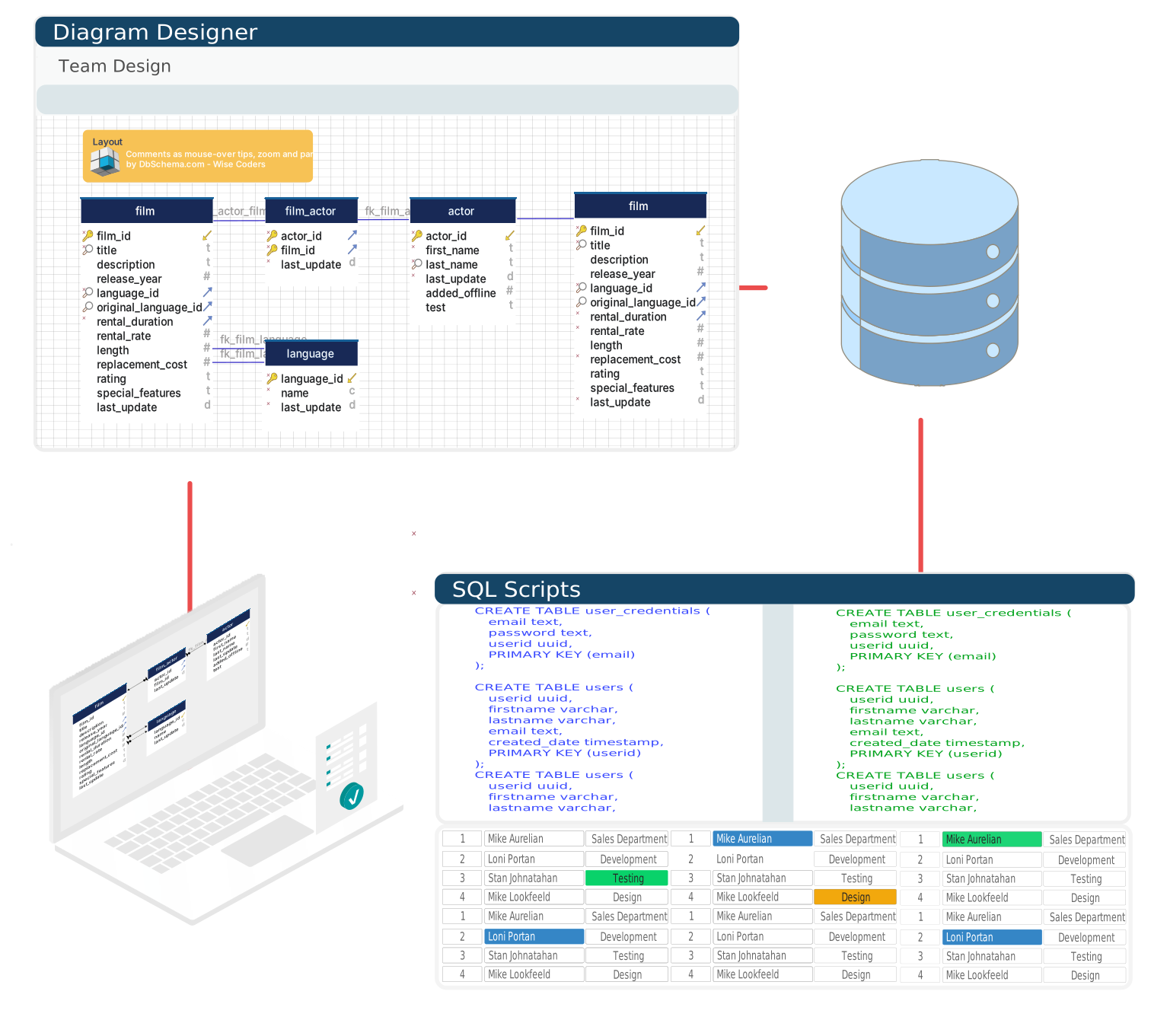
DbSchema reads the metastore through HiveServer2 and lays the entire structure out as one interactive diagram — the overview the warehouse never had.
A single tool where the metastore, HiveQL, and the docs meet.
DbSchema reads the metastore over the HiveServer2 JDBC interface and presents tables, partitions, and column definitions as an interactive schema diagram.
The editor supports HiveQL syntax — partitioned table queries, ORC and Parquet format hints, Hive-specific functions — so ad-hoc work stops requiring a Hue or Zeppelin notebook.
Export the warehouse schema as browsable HTML documentation, so analytics and BI colleagues answer their own structure questions in a browser.
DbSchema holds the warehouse design in a model file of its own — something HiveQL scripts scattered across jobs never give you. Design on the canvas, keep the file with your project, and apply changes knowingly.
Lay out new tables and partitioning ideas on the canvas, connection optional.
The design is a file; version it with the pipelines that depend on it.
Generated DDL is shown for reading before anything reaches HiveServer2.
Push the reviewed change to the warehouse on your schedule, not mid-experiment.
HiveServer2 listens on port 10000 by default, and a standard connection uses
jdbc:hive2://host:10000/default. For a Kerberized cluster, append the principal:
jdbc:hive2://host:10000/default;principal=hive/host@REALM.
Add the Hive JDBC driver bundle (hive-jdbc-*.jar plus its dependencies) from the
Hive distribution or Maven Central through DbSchema's driver manager; on CDH or HDP deployments,
the vendor-provided driver from Cloudera or Hortonworks gives the best compatibility. Setup
details are on the Hive JDBC driver page.
Download once: Community Edition free forever, Architect trial for 15 days.
Teams working with Apache Hive often use these engines too. Explore dedicated guides and JDBC setup for each.