PostgreSQL CREATE TRIGGER Guide with psql and DbSchema
For developers who write SQL and now need the database itself to react to a change, with PL/pgSQL explained where it appears.
On this page
Three applications write to the same table, and each of them has to remember to keep one column up to date. A trigger moves that rule into PostgreSQL, where it runs whatever wrote the row. Write a function that returns trigger, then use CREATE TRIGGER to bind it to an event on the table:
CREATE FUNCTION function_name() RETURNS trigger AS $$
BEGIN
    -- read OLD, change NEW
    RETURN NEW;
END;
$$ LANGUAGE plpgsql;

CREATE TRIGGER trigger_name
BEFORE UPDATE ON table_name
FOR EACH ROW
EXECUTE FUNCTION function_name();
What a trigger is, and which kinds exist
A trigger is a named link between an event on a table and a function that PostgreSQL runs when the event happens. Three choices define it. The timing says whether the function runs BEFORE the event, AFTER it, or INSTEAD OF it. The event is an INSERT, an UPDATE, a DELETE or a TRUNCATE. The granularity says whether the function runs once for each affected row, with FOR EACH ROW, or once for the whole statement, with FOR EACH STATEMENT.
The function is a separate object. The PostgreSQL 18 documentation describes it as "a user-supplied function that is declared as taking no arguments and returning type trigger". One function can serve several triggers, because it learns what fired it from variables that PostgreSQL sets, not from arguments.
Timing and granularity together decide when each call happens. For one UPDATE that changes two rows:

A BEFORE row trigger runs before its row is written, so it can still change or skip that row, while AFTER row triggers wait for the end of the statement (Overview of Trigger Behavior). Everything runs inside the statement's transaction, so an error in a trigger rolls the statement back.
Not every combination of timing, event and granularity exists. The documentation lists these:
| When | Event | Row-level trigger | Statement-level trigger |
|---|---|---|---|
BEFORE | INSERT, UPDATE, DELETE | Tables and foreign tables | Tables, views, and foreign tables |
BEFORE | TRUNCATE | Not available | Tables and foreign tables |
AFTER | INSERT, UPDATE, DELETE | Tables and foreign tables | Tables, views, and foreign tables |
AFTER | TRUNCATE | Not available | Tables and foreign tables |
INSTEAD OF | INSERT, UPDATE, DELETE | Views | Not available |
INSTEAD OF | TRUNCATE | Not available | Not available |
One trigger can cover several events. AFTER INSERT OR UPDATE OR DELETE fires for all three, and the function tells them apart by reading TG_OP, which PostgreSQL sets to the "operation for which the trigger was fired" (Trigger Functions in PL/pgSQL).
TRUNCATE has no row-level trigger at all, so an audit trigger written FOR EACH ROW records nothing when somebody truncates the table. And INSTEAD OF exists only on views and only per row. It's how a view that PostgreSQL can't update on its own becomes writable: the trigger takes the row it was handed and writes it into the tables behind the view.
Create a trigger in psql, step by step
1. Connect with psql
psql -U your_username -d your_database
How to Create a Database in PostgreSQL covers the installation and the database.
2. Create the table
CREATE TABLE employees (
    employee_id bigint GENERATED ALWAYS AS IDENTITY PRIMARY KEY,
    name text NOT NULL,
    salary numeric(10,2) NOT NULL,
    previous_salary numeric(10,2)
);

INSERT INTO employees (name, salary) VALUES ('Ada', 3000.00), ('Grace', 4000.00);
The trigger built in the next steps copies the old salary into previous_salary whenever the salary changes. Create Table in PostgreSQL goes through CREATE TABLE itself.
3. Write the trigger function
The function comes first, because the trigger refers to it by name:
CREATE FUNCTION remember_previous_salary() RETURNS trigger AS $$
BEGIN
    NEW.previous_salary := OLD.salary;
    RETURN NEW;
END;
$$ LANGUAGE plpgsql;
The body is PL/pgSQL, PostgreSQL's procedural language: $$ quotes the body, and := assigns a value. In a row-level trigger, PL/pgSQL sets OLD to the row as it was and NEW to the row as the UPDATE wants to write it. A BEFORE trigger may change NEW, and PostgreSQL writes the row that the function returns, so returning NEW unchanged lets the update go through as written.
4. Attach the trigger
CREATE TRIGGER update_salary_trigger
BEFORE UPDATE ON employees
FOR EACH ROW
WHEN (OLD.salary IS DISTINCT FROM NEW.salary)
EXECUTE FUNCTION remember_previous_salary();
The WHEN condition keeps the function from running on updates that leave the salary alone. IS DISTINCT FROM works like <>, except that it also counts a change to or from NULL as a change, which matters on a column that allows NULL.
5. Update a row and read it back
Two updates, and only the first one changes the salary:
UPDATE employees SET salary = 3200.00 WHERE name = 'Ada';
UPDATE employees SET name = 'Ada Lovelace' WHERE name = 'Ada';

SELECT name, salary, previous_salary FROM employees ORDER BY employee_id;
| name | salary | previous_salary |
|---|---|---|
| Ada Lovelace | 3200.00 | 3000.00 |
| Grace | 4000.00 |
The first update fired the trigger, which copied Ada's old salary into previous_salary:

The second update changed the name only, so the WHEN condition was false and the function never ran. Grace was never updated, so her row has nothing in the column.
\d employees lists the trigger under the indexes. Describe Table in PostgreSQL goes through the rest of that listing.
Triggers:
    update_salary_trigger BEFORE UPDATE ON employees FOR EACH ROW WHEN (old.salary IS DISTINCT FROM new.salary) EXECUTE FUNCTION remember_previous_salary()
6. Replace, disable or drop the trigger
CREATE OR REPLACE TRIGGER update_salary_trigger
BEFORE UPDATE OF salary ON employees
FOR EACH ROW
WHEN (OLD.salary IS DISTINCT FROM NEW.salary)
EXECUTE FUNCTION remember_previous_salary();

ALTER TABLE employees DISABLE TRIGGER update_salary_trigger;
ALTER TABLE employees ENABLE TRIGGER update_salary_trigger;

DROP TRIGGER update_salary_trigger ON employees;
CREATE OR REPLACE TRIGGER, available since PostgreSQL 14, swaps the definition in one statement. A disabled trigger stays on the table, and \d lists it under "Disabled user triggers". DROP TRIGGER needs the table name, because a trigger's name only has to be unique within its table.
The clauses of CREATE TRIGGER
CREATE [ OR REPLACE ] [ CONSTRAINT ] TRIGGER name { BEFORE | AFTER | INSTEAD OF } { event [ OR ... ] }
    ON table_name
    [ FROM referenced_table_name ]
    [ NOT DEFERRABLE | [ DEFERRABLE ] [ INITIALLY IMMEDIATE | INITIALLY DEFERRED ] ]
    [ REFERENCING { { OLD | NEW } TABLE [ AS ] transition_relation_name } [ ... ] ]
    [ FOR [ EACH ] { ROW | STATEMENT } ]
    [ WHEN ( condition ) ]
    EXECUTE { FUNCTION | PROCEDURE } function_name ( arguments )
| Clause | What it decides |
|---|---|
OR REPLACE | replace a trigger of the same name on the same table |
BEFORE / AFTER / INSTEAD OF | when the function runs |
INSERT / UPDATE / DELETE / TRUNCATE | which event fires it |
ON table_name | the table or view it belongs to |
FOR EACH ROW / FOR EACH STATEMENT | once per affected row, or once per statement |
WHEN (condition) | a test that has to pass before the function runs |
EXECUTE FUNCTION name(arguments) | the function PostgreSQL calls, and what it passes |
REFERENCING ... TABLE AS name | a name for the set of changed rows |
CONSTRAINT, DEFERRABLE, FROM | a constraint trigger, when it fires, and the table it refers to |
UPDATE OF salary narrows an update trigger to statements that name the column in their SET list. EXECUTE PROCEDURE still works, but "the use of the keyword PROCEDURE here is historical and deprecated", so write EXECUTE FUNCTION. The arguments are string constants, even when you write a number, and a PL/pgSQL function reads them from the TG_ARGV array, which counts from 0.
Write the granularity out every time, because "if neither is specified, FOR EACH STATEMENT is the default". Leave FOR EACH ROW off the trigger of step 4, and PostgreSQL refuses it, since a statement-level trigger has no row for WHEN to look at:
ERROR: statement trigger's WHEN condition cannot reference column values
Leave the WHEN condition off as well, and the trigger is created. It then runs once per statement with NEW and OLD set to null, and the salary change goes through without a word:
CREATE TRIGGER update_salary_trigger
BEFORE UPDATE ON employees
EXECUTE FUNCTION remember_previous_salary();

UPDATE employees SET salary = 3500.00 WHERE name = 'Ada Lovelace';
SELECT name, salary, previous_salary FROM employees WHERE name = 'Ada Lovelace';
| name | salary | previous_salary |
|---|---|---|
| Ada Lovelace | 3500.00 | 3000.00 |
previous_salary still holds 3000.00 from step 5, where it should now hold 3200.00.
REFERENCING hands the trigger every row that the statement touched, as a table, and is "only allowed for an AFTER trigger on a plain table". OLD TABLE needs an UPDATE or DELETE event, and NEW TABLE an UPDATE or INSERT.
CONSTRAINT makes a constraint trigger, "the same as a regular trigger except that the timing of the trigger firing can be adjusted using SET CONSTRAINTS", so a deferred one waits for the end of the transaction. PostgreSQL expects it to "raise an exception when the constraints they implement are violated".
Where a trigger helps, and what it costs
The rule of step 4 holds for every writer, whether an application, a migration script or someone fixing one row by hand, because it lives with the data rather than in one caller. That makes a trigger the right place for anything that has to be true of the table itself.
Some rules have a better place. A condition that looks at one row and needs nothing else belongs in a CHECK constraint, which shows in the table definition. A value computed from the row's own columns belongs in a generated column, which PostgreSQL computes whenever the row is written:
CREATE TABLE payroll (
    salary numeric(10,2) NOT NULL,
    bonus numeric(10,2) NOT NULL DEFAULT 0,
    total_salary numeric(10,2) GENERATED ALWAYS AS (salary + bonus) STORED
);
Reach for a trigger when the rule needs another table, has to change the row, or has to record that something happened.
Three costs are worth knowing before a table gets its second trigger. Several triggers on the same event "will be fired in alphabetical order by name", so renaming one can change the result. A statement that changes no rows still runs the statement-level triggers, since "an operation that modifies zero rows will still result in the execution of any applicable FOR EACH STATEMENT triggers". And a BEFORE INSERT row trigger whose function returns NULL skips the row without an error: psql answers INSERT 0 0, and the row is nowhere to be found.
Restrictions on creating a trigger
PostgreSQL refuses these when you create the trigger:
- An
INSTEAD OFtrigger must beFOR EACH ROW. - Only a view can have an
INSTEAD OFtrigger. - An
INSTEAD OFtrigger cannot have aWHENcondition. - A
BEFOREorAFTERtrigger on a view must beFOR EACH STATEMENT. - A
TRUNCATEtrigger must beFOR EACH STATEMENT. - A
WHENcondition cannot contain a subquery. - In
WHEN, anINSERTtrigger cannot refer toOLD, and aDELETEtrigger cannot refer toNEW. - A constraint trigger must be an
AFTER ROWtrigger on a plain table. - A system catalog such as
pg_classcannot have a trigger. A temporary table can. - The trigger's name cannot carry a schema, because the trigger lives in the schema of its table.
- A row-level trigger with transition relations cannot be defined on a partition or an inheritance child table.
Inside the function, TRUNCATE works, while DROP DATABASE fails with "DROP DATABASE cannot be executed from a function".
Creating a trigger also needs two privileges: TRIGGER on the table and EXECUTE on the function. Without the first, PostgreSQL answers "permission denied for table employees". On a partitioned table, a row-level trigger created on the parent is cloned onto every partition, including partitions attached later, and a partition loses the clones when it is detached.
Create triggers and visually manage PostgreSQL using DbSchema



To create the trigger from DbSchema and keep it in the DbSchema model:
- Click Connect to Database, pick PostgreSQL in Choose Your Database, and fill in the Connection Dialog.
- Let DbSchema reverse-engineer the database. DbSchema reads triggers, procedures and functions with queries of its own for each database, because the standard JDBC API does not expose them.
- Open the SQL Editor from the Editors menu, write the
CREATE FUNCTIONand theCREATE TRIGGER, and click Run Script to run both. - In DbSchema Pro, click Refresh Model from Database, so that the model picks up the trigger you created.
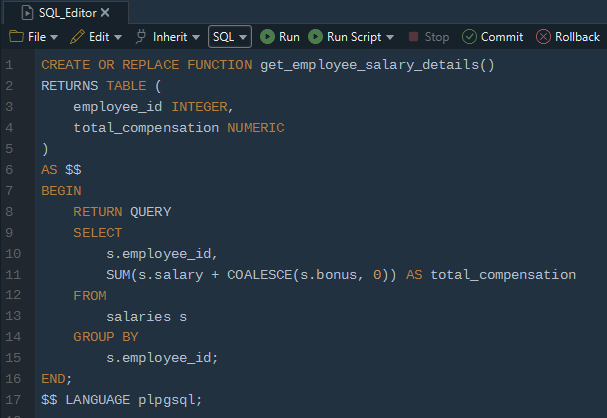
Step 3 changes the database: the SQL Editor runs statements against the connected database, and the SQL History pane records each one. Step 4 changes only the DbSchema model, the copy of the schema that DbSchema keeps in its .dbs file.
Download DbSchema at https://dbschema.com/download.html, connect to the PostgreSQL database that holds the table, run steps 3 and 4 of the psql walkthrough in the SQL Editor, then update one row to see the trigger fire. Connecting, reverse-engineering the schema with its triggers, the diagrams and the SQL Editor are in the free Community Edition, and refreshing the model from the database is in DbSchema Pro.









