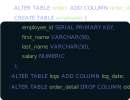
DbSchema lets you design, manage, and document YugabyteDB databases. Create ER diagrams, define tables and columns, and generate SQL scripts - with or without a live database connection.
Use Git to share the design, compare it with the YugabyteDB database, and deploy changes. DbSchema also includes a data editor, query builder, and HTML5 documentation - everything you need in one tool.
Download DbSchema Download YugabyteDB JDBC Driver
YugabyteDB is an open-source distributed SQL database designed for cloud-native applications that require global scalability, strong consistency, and high availability. It exposes two query APIs: YSQL, a PostgreSQL-compatible SQL interface, and YCQL, a Cassandra Query Language-compatible interface for wide-column workloads. Both APIs are backed by the same distributed storage engine (DocDB), which uses the Raft consensus protocol to replicate data across nodes and regions for automatic fault tolerance.
Horizontal scaling is achieved through automatic sharding — tables are split into tablets that are distributed across nodes without any manual partitioning effort. YugabyteDB Anywhere extends this to multi-cloud and hybrid deployments, managing clusters across AWS, GCP, Azure, and on-premises from a single control plane. DbSchema connects to YugabyteDB via the YugabyteDB smart JDBC driver and reverse-engineers the YSQL schema — tables, indexes, views, sequences, foreign keys, and partitioned tables — into a visual diagram that reflects the full relational model deployed across your distributed cluster.
YSQL is wire-compatible with PostgreSQL, so the full suite of PostgreSQL SQL features — window functions,
CTEs, lateral joins, JSON operators, full-text search, and PL/pgSQL stored procedures — works without
modification. DbSchema's SQL editor connects via the YugabyteDB JDBC driver and lets you author, execute,
and iterate on queries with results displayed in the tabular results grid. You can run
EXPLAIN (DIST ON, ANALYZE) to view YugabyteDB-specific distributed query plans that show
tablet-level scan and aggregation operations.
YugabyteDB-specific DDL such as CREATE TABLE ... SPLIT AT VALUES (...) for hash-sharding
hint overrides, or TABLESPACE assignments for geo-partitioning, can be authored and executed
in the SQL editor. This is useful when designing schemas that pin specific partitions to particular
geographic regions for data residency compliance. Multiple query tabs allow you to keep schema DDL,
data validation queries, and performance investigation queries open simultaneously.
The DbSchema data explorer presents YugabyteDB YSQL table data in a familiar row-browsing interface. You can page through records, filter by column values, and navigate foreign-key relationships to understand how application entities are linked across the distributed schema. Because YugabyteDB's YSQL layer abstracts the distributed storage, the data explorer presents a logically unified view of table data even when those rows are physically stored in tablets spread across multiple nodes and regions.
Read replicas configured for low-latency reads in specific regions are transparent to JDBC clients — the YugabyteDB smart driver routes reads to the nearest replica automatically. This means the data explorer benefits from reduced read latency when the DbSchema client is geographically close to a read replica, which is useful when teams in multiple locations share a YugabyteDB cluster and need responsive data browsing during development.
Select YugabyteDB from the database list in DbSchema. The YugabyteDB smart JDBC driver
(jdbc-yugabytedb-*.jar) is available from Maven Central or the YugabyteDB GitHub releases
page. The driver class is com.yugabyte.Driver. The JDBC URL format is:
jdbc:yugabytedb://localhost:5433/yugabyte. A critical detail: YugabyteDB's YSQL interface
listens on port 5433 by default, not the PostgreSQL standard port
5432. Entering 5432 is the most common connection mistake when migrating from
a PostgreSQL tooling setup.
The default database is yugabyte and the default superuser is also yugabyte.
For multi-node clusters, the smart driver accepts a comma-separated list of host:port pairs in the URL
for topology-aware load balancing:
jdbc:yugabytedb://node1:5433,node2:5433,node3:5433/yugabyte?load-balance=true. Add
?sslmode=require for SSL-enabled clusters. YugabyteDB Managed (the cloud service) requires
SSL and provides a CA certificate for download from the cluster settings page; configure this in
DbSchema's SSL settings panel.