Design and Manage H2 Databases Visually with DbSchema

DbSchema lets you design, manage, and document H2 databases. Create ER diagrams, define tables and columns, and generate SQL scripts - with or without a live database connection.

Use Git to share the design, compare it with the H2 database, and deploy changes. DbSchema also includes a data editor, query builder, and HTML5 documentation - everything you need in one tool.

DbSchema Database Designer

Download DbSchema Download H2 JDBC Driver

H2 is a pure-Java relational database that runs in-process, making it the default embedded database in Spring Boot and a mainstay of Java integration test suites. Because H2 databases often exist only during a test run or are bundled inside an application JAR, schema design and verification are typically done programmatically. DbSchema provides a visual alternative: connect to an H2 file, in-memory, or server-mode database and use a graphical table editor instead of writing DDL by hand.

Design H2 Schemas Without a Running Application

DbSchema can open an H2 file-based database directly, without requiring the owning application to be active. This disconnected mode lets you inspect and modify the schema of a test database between runs — useful when debugging a Flyway migration or verifying the table structure produced by Hibernate auto-DDL.

DbSchema opening an H2 file database in disconnected mode

Edit Tables with a Visual Editor

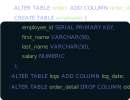
Add, rename, or drop columns, change data types, set default values, and define foreign key relationships using the table editor. Changes are previewed as DDL before being applied to the H2 database — no need to write ALTER TABLE statements manually for iterative schema work.

Table editor modifying column definitions in an H2 schema

Populate Test Databases with Generated Data

H2 databases used as test fixtures need realistic data to exercise business logic thoroughly. DbSchema's data generator fills tables with configurable synthetic values — names, email addresses, dates, numeric ranges, and foreign-key-aware references — so integration tests run against populated schemas rather than empty tables.

Data generator populating an H2 test database with synthetic rows

Connecting to H2

H2 supports three connection modes. For a file-based database, use jdbc:h2:~/test (relative to the user home directory) or an absolute path such as jdbc:h2:/data/mydb. For an in-memory database shared within the same JVM, use jdbc:h2:mem:testdb. For server mode, use jdbc:h2:tcp://host:9092/~/test after starting H2 with java -cp h2.jar org.h2.tools.Server -tcp. DbSchema bundles the H2 JDBC driver, so no separate driver download is required for any of these modes.

Why Use DbSchema with H2

  • Open H2 file databases without starting the owning Spring Boot application
  • Design schemas visually and export the resulting DDL for Flyway or Liquibase scripts
  • Populate test databases with realistic synthetic data for integration tests
  • Inspect the schema produced by Hibernate or JPA auto-DDL to catch structural issues early
  • Document H2 schemas shared across multiple microservices in a monorepo