SQLite Constraints: PRIMARY KEY, FOREIGN KEY, UNIQUE, CHECK, NOT NULL
For a developer with tables in a SQLite file who wants the database to reject bad rows instead of trusting the application to.
On this page
A row arrives with an empty name, a negative amount, or a parent id that matches nothing, and the query that reads it later returns something nobody can explain. Constraints are how you stop that at write time in SQLite: six of them cover almost every rule worth enforcing, they live in the CREATE TABLE statement, and SQLite checks them on every insert and update.
| Constraint | Purpose | Example |
|---|---|---|
PRIMARY KEY | identifies each row | customer_id INTEGER PRIMARY KEY |
FOREIGN KEY | requires a matching parent row | FOREIGN KEY(customer_id) REFERENCES customers(customer_id) |
UNIQUE | rejects duplicate values | email TEXT UNIQUE |
NOT NULL | requires a value | name TEXT NOT NULL |
DEFAULT | fills in an omitted value | status TEXT DEFAULT 'new' |
CHECK | rejects values that fail a condition | CHECK(total_cents >= 0) |
One of the six, the foreign key, is switched off until the connection turns it on, which is the part that catches people arriving from a server database.
What SQLite constraints do
A constraint is a condition SQLite evaluates before it writes a row. If the condition fails, the write fails, and the rest of the statement is affected in a way you can choose. The default is the ABORT algorithm, which "aborts the current SQL statement with an SQLITE_CONSTRAINT error and backs out any changes made by the current SQL statement; but changes caused by prior SQL statements within the same transaction are preserved and the transaction remains active", according to the ON CONFLICT documentation.
That gives you two guarantees worth having. A bad row never reaches the file, and a partially written statement never leaves half its rows behind. The application would otherwise check all of that in code, one query at a time and only in the code paths that remember to. The database checks it once, for every writer that touches the file.
A schema that uses all six, with a customer table and the orders that point at it:
CREATE TABLE customers (
    customer_id INTEGER PRIMARY KEY,
    name        TEXT NOT NULL,
    email       TEXT UNIQUE,
    status      TEXT NOT NULL DEFAULT 'active'
                 CHECK (status IN ('active', 'disabled'))
);

CREATE TABLE orders (
    order_id     INTEGER PRIMARY KEY,
    customer_id  INTEGER NOT NULL,
    total_cents  INTEGER NOT NULL CHECK (total_cents >= 0),
    created_at   TEXT NOT NULL DEFAULT CURRENT_TIMESTAMP,
    FOREIGN KEY (customer_id)
        REFERENCES customers(customer_id)
        ON DELETE CASCADE
);
CHECK (status IN ('active', 'disabled')) turns a column into a small set of allowed values, which is the cheapest way to keep typos out of a status column. DEFAULT CURRENT_TIMESTAMP fills the column when the insert leaves it out, so the row carries a creation time even when the application forgets to send one.
If you are still designing the table structure, review SQLite CREATE TABLE first.
Create tables with constraints in sqlite3
Open the file, turn on foreign key enforcement, and paste in the two CREATE TABLE statements above:
sqlite3 shop.db
PRAGMA foreign_keys = ON;
Watch each constraint reject a row
The first insert succeeds. The second carries an address the first one already used, and UNIQUE rejects it. The third asks for a status outside the two the CHECK allows, and the fourth asks for a negative total:
INSERT INTO customers (customer_id, name, email) VALUES (1, 'Bob', '[email protected]');
INSERT INTO customers (customer_id, name, email) VALUES (2, 'Alice', '[email protected]');
INSERT INTO customers (customer_id, name, email, status) VALUES (3, 'Dina', '[email protected]', 'paused');
INSERT INTO orders (order_id, customer_id, total_cents) VALUES (1, 1, -50);

SELECT customer_id, name, email, status FROM customers;
| customer_id | name | status | |
|---|---|---|---|
| 1 | Bob | [email protected] | active |
One row is in the table and three statements were aborted, each by the constraint whose condition it broke. The orders table is empty, because the negative total never satisfied total_cents >= 0.
Choose what a violation does to the rest of the statement
The ON CONFLICT clause names the algorithm. In an INSERT or an UPDATE the keywords are written as OR, so ON CONFLICT IGNORE reads INSERT OR IGNORE. There are five algorithms, and ABORT is the one you get when you name none:
| Clause | Effect of a UNIQUE, NOT NULL or PRIMARY KEY violation |
|---|---|
INSERT OR ABORT | fails, backs out its own changes, transaction stays open |
INSERT OR ROLLBACK | fails, and the current transaction is rolled back |
INSERT OR FAIL | fails, but rows changed before the offending one are kept |
INSERT OR IGNORE | skips the offending row and continues, with no error |
INSERT OR REPLACE | deletes the conflicting rows, then writes the new row |
The clause itself is accepted on UNIQUE, NOT NULL and PRIMARY KEY constraints only, never on CHECK or FOREIGN KEY. Where a statement carries an OR clause and hits one of those other constraints, what the algorithm does is not uniform:
IGNOREworks like ABORT on a foreign key violation.FAILcovers uniqueness,NOT NULLandCHECKviolations, and a foreign key violation aborts.REPLACEon aNOT NULLviolation writes the column's default value, and aborts when the column has no default.REPLACEon aCHECKor foreign key violation works like ABORT.
Bulk loads use IGNORE to keep going over rows that are already present:
INSERT OR IGNORE INTO customers (customer_id, name, email)
VALUES (2, 'Alice', '[email protected]'),
       (3, 'Tom',   '[email protected]');

SELECT customer_id, name, email FROM customers;
| customer_id | name | |
|---|---|---|
| 1 | Bob | [email protected] |
| 3 | Tom | [email protected] |
Alice was dropped for the duplicate address and Tom went in. The delete that REPLACE performs is quieter than an ordinary one: the table's delete triggers "fire if and only if recursive triggers are enabled". A row rewritten that way can therefore slip past an audit trigger you are counting on.
Foreign keys and PRAGMA foreign_keys
The foreign key in the schema above is parsed, stored, and drawn by every tool that reads the file, and by default it enforces nothing. The foreign key documentation is blunt about it: "Foreign key constraints are disabled by default (for backwards compatibility), so must be enabled separately for each database connection."
PRAGMA foreign_keys = ON;
PRAGMA foreign_keys;
| foreign_keys |
|---|
| 1 |
PRAGMA foreign_keys belongs to the connection, not to the file, so every connection your application opens has to run it, and a connection pool has to run it on each pooled connection. With it on, an order whose customer_id matches no customer is rejected as a foreign key constraint failure, and deleting a customer takes their orders with it, because the constraint carries ON DELETE CASCADE. With it off, both statements succeed and the orphan rows sit in the file until a join finds them.
One more line makes the constraint pay for itself: "in most real systems, an index should be created on the child key columns of each foreign key constraint", because SQLite has to look for child rows on every parent delete or update.
CREATE INDEX idx_orders_customer_id ON orders(customer_id);
Apply constraints from Python
The sqlite3 module raises IntegrityError when a constraint rejects a write, which is what makes constraints testable. The script below creates the schema, enables foreign keys, and tries to insert an order for a customer who does not exist:
import sqlite3

schema_sql = """
PRAGMA foreign_keys = ON;

CREATE TABLE IF NOT EXISTS customers (
    customer_id INTEGER PRIMARY KEY,
    name        TEXT NOT NULL,
    email       TEXT UNIQUE
);

CREATE TABLE IF NOT EXISTS orders (
    order_id     INTEGER PRIMARY KEY,
    customer_id  INTEGER NOT NULL,
    total_cents  INTEGER NOT NULL CHECK (total_cents >= 0),
    FOREIGN KEY (customer_id) REFERENCES customers(customer_id)
);
"""

with sqlite3.connect("shop.db") as connection:
    connection.executescript(schema_sql)
    try:
        connection.execute(
            "INSERT INTO orders(order_id, customer_id, total_cents) VALUES (?, ?, ?)",
            (1, 999, 2500),
        )
        print("inserted")
    except sqlite3.IntegrityError:
        print("rejected by a constraint")
rejected by a constraint
executescript runs the PRAGMA on the same connection the insert uses, which is what makes the foreign key bite here. Move the PRAGMA into a separate connection and the same insert succeeds.
Manage constraints in DbSchema
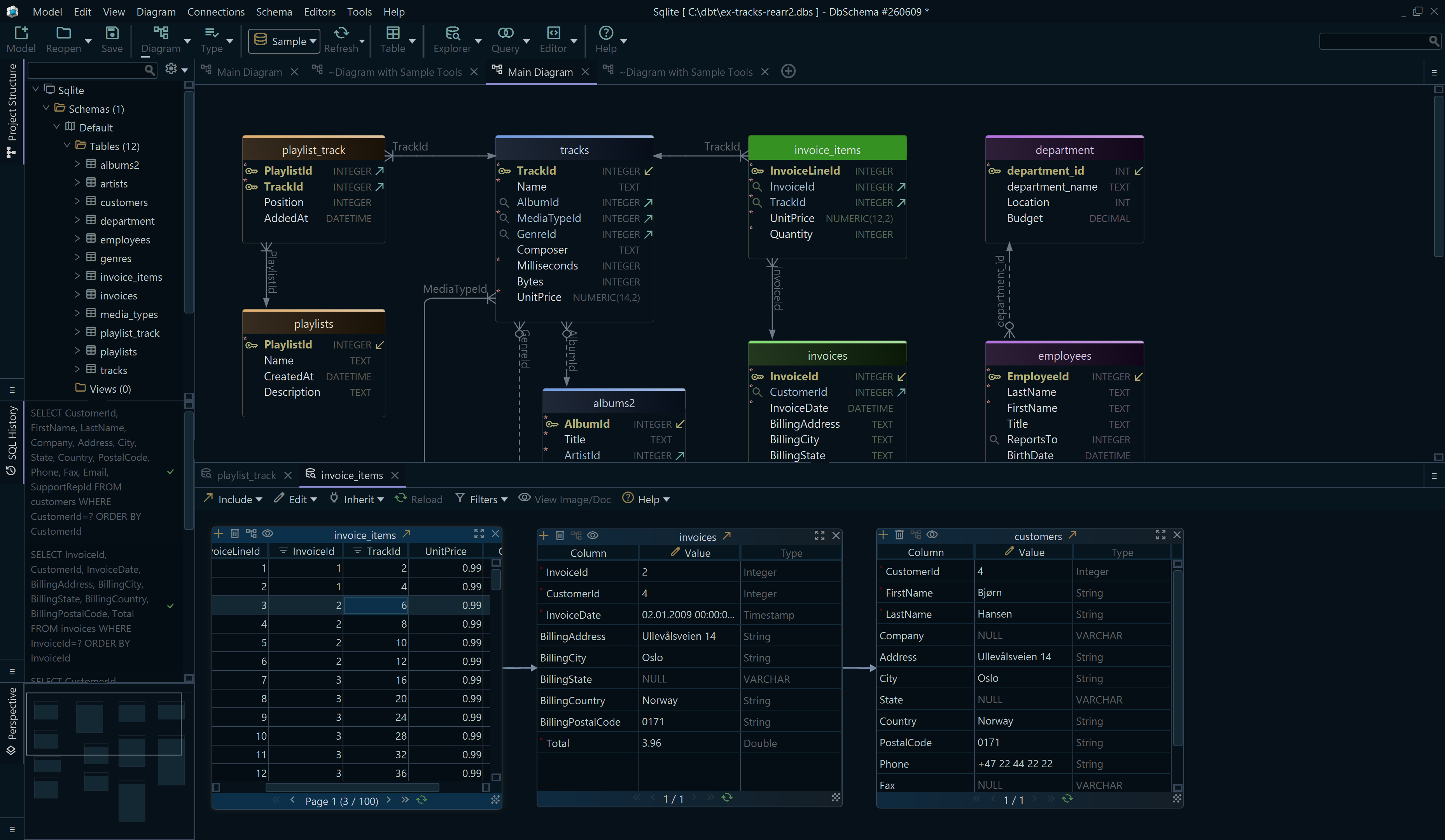
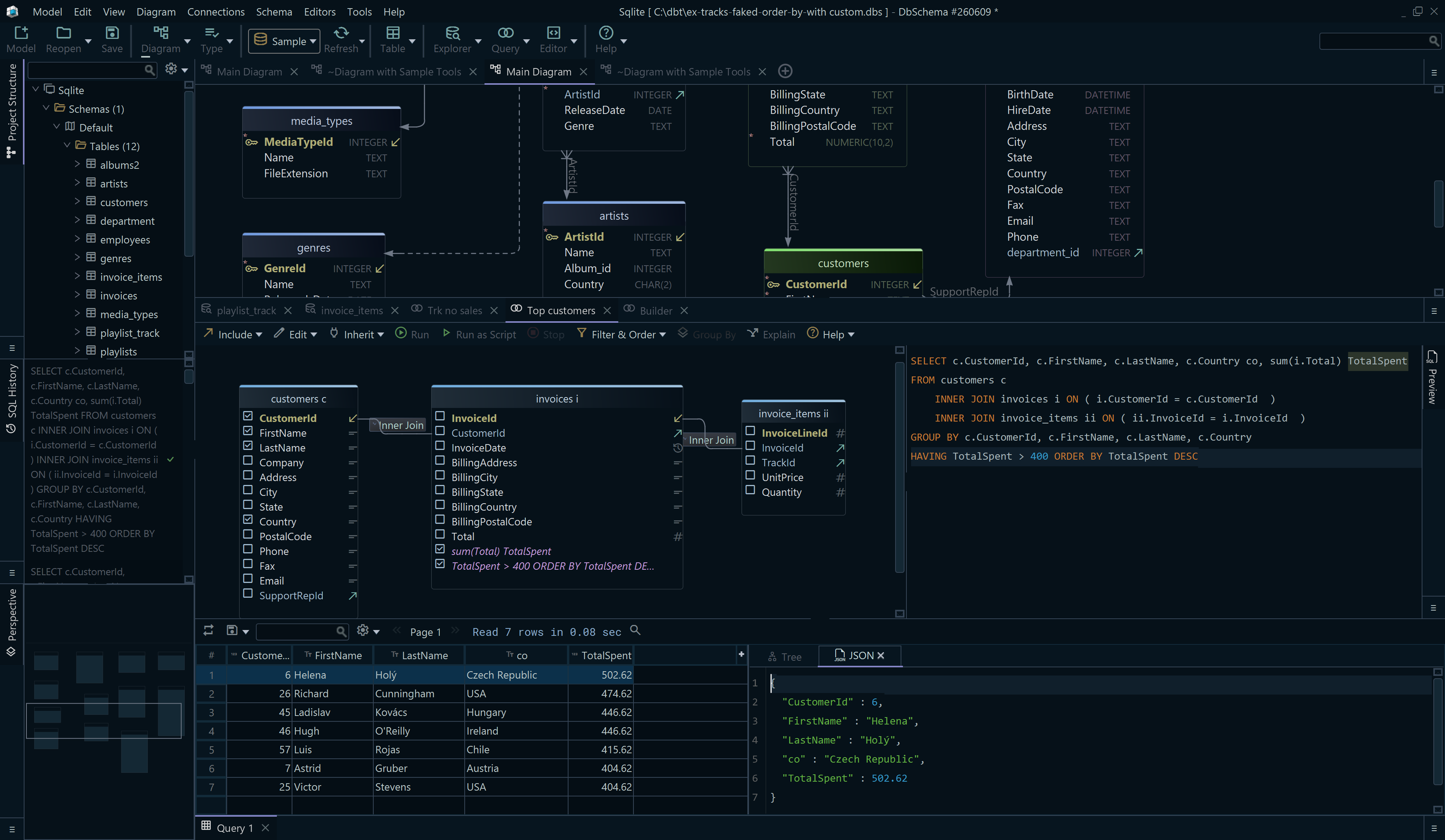

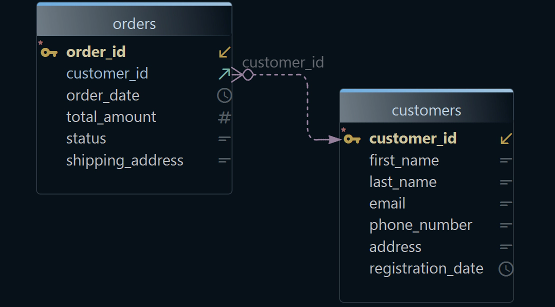
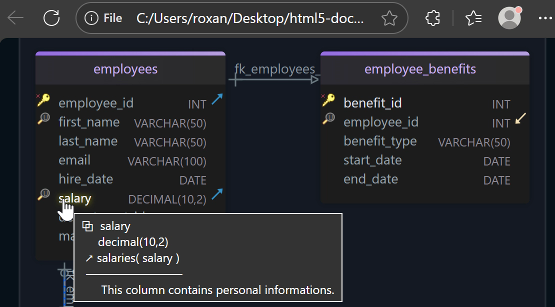
Reading constraint logic out of DDL gets slower as the schema grows, because a rule written next to a column in one file describes a relationship that lives in another. DbSchema shows both at once: the tables as boxes on a diagram, the foreign keys as lines between them, and every rule in a dialog on the table.
Double-click a table header and DbSchema opens the Table Dialog. The Columns tab holds NOT NULL and Default Value for each column, the Indexes tab is where you flag the primary key and unique indexes, and the Constraints tab takes a check constraint written as an expression, such as total_cents >= 0. Foreign keys have their own tab: click Add, choose the referenced table, and map the columns, or drag a column onto the related column in another table and DbSchema draws the foreign key on the diagram. The FK actions, NO ACTION, CASCADE, SET NULL and SET DEFAULT, are set in the Foreign Key Editor.
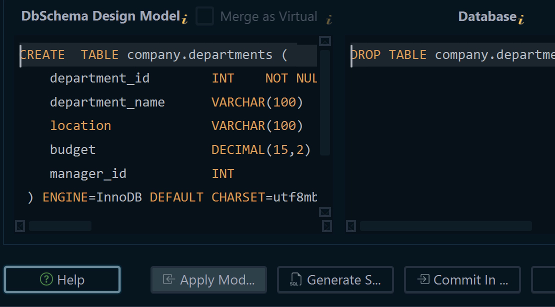
On a live connection, DbSchema executes each of those edits against the SQLite file straight away and lists the statement in the SQL History pane. Disconnected, the change is saved to the .dbs design model alone, and Schema → Synchronize Model with Database is what turns the accumulated edits into a script you review before clicking Execute. To try the constraint afterwards, run the offending insert in the SQL Editor and read the error the database sends back.
Edge cases and limits
UNIQUE and NULL
A UNIQUE column accepts any number of empty values, because "for the purposes of UNIQUE constraints, NULL values are considered distinct from all other values, including other NULLs". Two customers with no email address are two different values as far as the constraint is concerned.
PRIMARY KEY accepts NULL in an ordinary table
A primary key that accepts an empty value contradicts every other engine you have used, and SQLite allows it unless the column is an INTEGER PRIMARY KEY. The CREATE TABLE documentation records the behavior as a bug that cannot be fixed without breaking old applications: "Unless the column is an INTEGER PRIMARY KEY or the table is a WITHOUT ROWID table or a STRICT table or the column is declared NOT NULL, SQLite allows NULL values in a PRIMARY KEY column."
CREATE TABLE tags (tag TEXT PRIMARY KEY);

INSERT INTO tags VALUES (NULL);
INSERT INTO tags VALUES (NULL);

SELECT count(*) AS rows_in_tags FROM tags;
| rows_in_tags |
|---|
| 2 |
Both rows went in, and the primary key is empty in both. Write tag TEXT PRIMARY KEY NOT NULL, or declare the table STRICT, and the second insert is rejected.
A CHECK on a missing value passes
A CHECK expression that evaluates to NULL is not a violation. The documentation gives the rule as a cast: the expression is evaluated and cast to a numeric value, and only zero counts as a failure.
CREATE TABLE readings (
    reading_id INTEGER PRIMARY KEY,
    celsius    INTEGER CHECK (celsius > -90)
);

INSERT INTO readings (reading_id, celsius) VALUES (1, NULL);

SELECT reading_id, celsius FROM readings;
| reading_id | celsius |
|---|---|
| 1 |
The comparison NULL > -90 is NULL, not zero, so the row is accepted. Add NOT NULL next to the CHECK whenever the rule is meant to apply to every row. The other limit on a CHECK is that its expression may not contain a subquery, so a rule that has to look at a second table is a foreign key rather than a check.
Changing a constraint later
Which of the six ALTER TABLE can add to a table that already exists depends on the constraint, and the ALTER TABLE documentation lists the restrictions. ALTER COLUMN, which sets or drops a column's NOT NULL, arrived in SQLite 3.53.0 (2026-04-09).
| Constraint | On a column you add | On a column already there |
|---|---|---|
NOT NULL | yes, with a default other than NULL | yes, ALTER COLUMN ... SET NOT NULL |
DEFAULT | yes, if the value is a literal | rebuild |
CHECK | yes, and every existing row is tested against it | rebuild |
UNIQUE | no, CREATE UNIQUE INDEX instead | CREATE UNIQUE INDEX |
PRIMARY KEY | no, rebuild | rebuild |
FOREIGN KEY | yes, and the column has to default to NULL while foreign keys are on | rebuild |
The default on a column you add has to be a literal, because CURRENT_TIME, CURRENT_DATE, CURRENT_TIMESTAMP and expressions in parentheses are all refused there. A rebuild is the same four steps every time: create the new table in the shape you want, copy the rows in, drop the old table, rename the new one, and do all of it inside a transaction. Getting the constraints right in the first CREATE TABLE is what saves you from that.
SQLite enforces no rule you did not write down, and no foreign key on a connection that never ran the PRAGMA. A constraint you have not watched reject a row is one you are assuming works, and the shell will tell you in a minute which of yours do. To see the rules across a whole SQLite schema at once, download DbSchema at https://dbschema.com/download.html and connect it to your .db file: connecting, reverse engineering, the diagram with its foreign key lines and the SQL Editor are in the free Community Edition, and saving the design as a .dbs file with schema synchronization is in Pro.
FAQ
Why is my foreign key not enforced in SQLite?
The usual cause is the connection that ran the insert, which never ran PRAGMA foreign_keys = ON. The other one is the SQLite build, and the foreign key documentation gives you the test for it: if PRAGMA foreign_keys returns no row at all rather than a 0 or a 1, the library was compiled without foreign key support and the pragma does nothing.
What is the difference between PRIMARY KEY and UNIQUE?
Both reject duplicates, and in SQLite both are implemented by a unique index in most cases. The difference that bites is NULL handling: an ordinary TEXT PRIMARY KEY column still accepts NULL, so declare it NOT NULL when the table is not keyed by INTEGER PRIMARY KEY.